

Guide29 min read
On this page
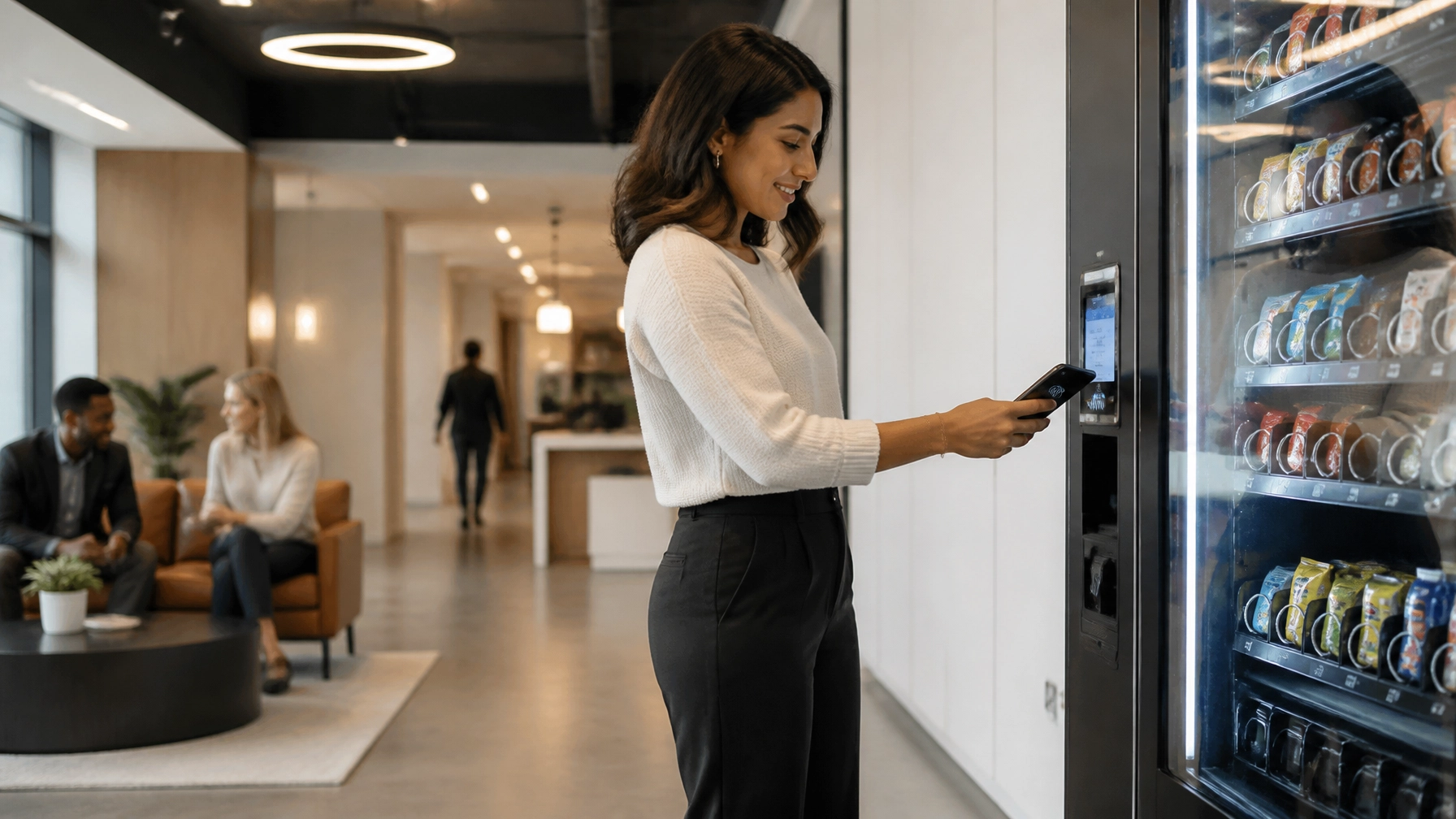
The vending industry is no longer just about coins and crinkled dollar bills. In 2026, the landscape of unattended retail has shifted toward a digital-first reality. With the US operator revenue hitting $7.9B annually and the broader unattended retail market reaching a staggering $31.1B, the ability to accept modern payments is the single most important factor in a company's growth.
If you are running a vending operation today, you aren't just selling snacks, you are managing a fleet of IoT-enabled retail points. This guide provides a deep dive into the technology, economics, and strategies behind cashless vending and smart payment systems, helping you navigate the transition from traditional routes to a modern, data-driven business.
20–35%Sales lift from cashless3–6%Card processing fees$300Reader profitability thresholdThe Business Case for Cashless Integration
For years, the decision to add a card reader was viewed as an optional upgrade. Today, it is a operational necessity. The shift is driven by consumer behavior: fewer people carry cash, and those who do often limit their spending to the exact change they have on hand.
The 20% to 35% Sales Lift
The most immediate benefit of installing smart payment systems is a measurable increase in revenue. Industry data consistently shows a sales lift of 20% to 35% when a machine transitions from cash-only to cashless. This isn't just about capturing the "no cash" customer, it is about increasing the average transaction value.
When customers pay with a mobile wallet or credit card, they are less price-sensitive. They are more likely to purchase a premium $3.50 energy drink or a $4.00 healthy snack because they aren't limited by the physical bills in their wallet. In some segments, such as arcade and amusement vending, the ticket size can increase by over 600% compared to cash-only environments.
The $300 Threshold Rule
While cashless is powerful, every reader comes with an upfront cost and recurring fees. Experienced operators often use the $300 threshold rule: if a machine generates at least $300 in gross monthly sales, it is a prime candidate for a card reader.
At this volume, the sales lift typically covers the monthly connection fees and hardware amortization while adding pure profit to the bottom line. For machines doing less than $300, the ROI is thinner, but many operators still choose to install readers to build "sticky" accounts and ensure they don't lose the location to a more modern competitor.
Understanding Modern Payment Technologies
The hardware on the front of your machine is a gateway to a complex financial network. To choose the right system, you need to understand the different types of transactions your customers expect.
New to the terminology? TVC’s free Vending Glossary defines cashless payment, telemetry, and 150+ other industry terms in plain language.
NFC and Mobile Wallets
Near Field Communication (NFC) is the technology behind "tap-to-pay." This includes physical contactless cards as well as mobile wallets like Apple Pay, Google Pay, and Samsung Pay. In 2026, mobile wallets are the preferred method for the majority of younger consumers. They offer high security through tokenization, which protects the customer's actual card number from being intercepted.
Credit and Debit Cards
Despite the rise of mobile, the physical card remains a staple. Modern readers must support both EMV (chip) and magstripe. While magstripe is being phased out globally, having it as a fallback ensures you never miss a sale from an older card. EMV is critical for security and liability, if you process a fraudulent transaction on a non-EMV reader, you as the operator may be held liable for the loss.
QR Codes and App-Based Payments
In certain environments like university campuses or large corporate offices, QR code payments are gaining traction. These often link to a company's internal loyalty app or a specific payment provider's wallet. They are particularly useful for "closed-loop" systems where a business wants to provide employee credits or discounts.
Telemetry and Remote Monitoring
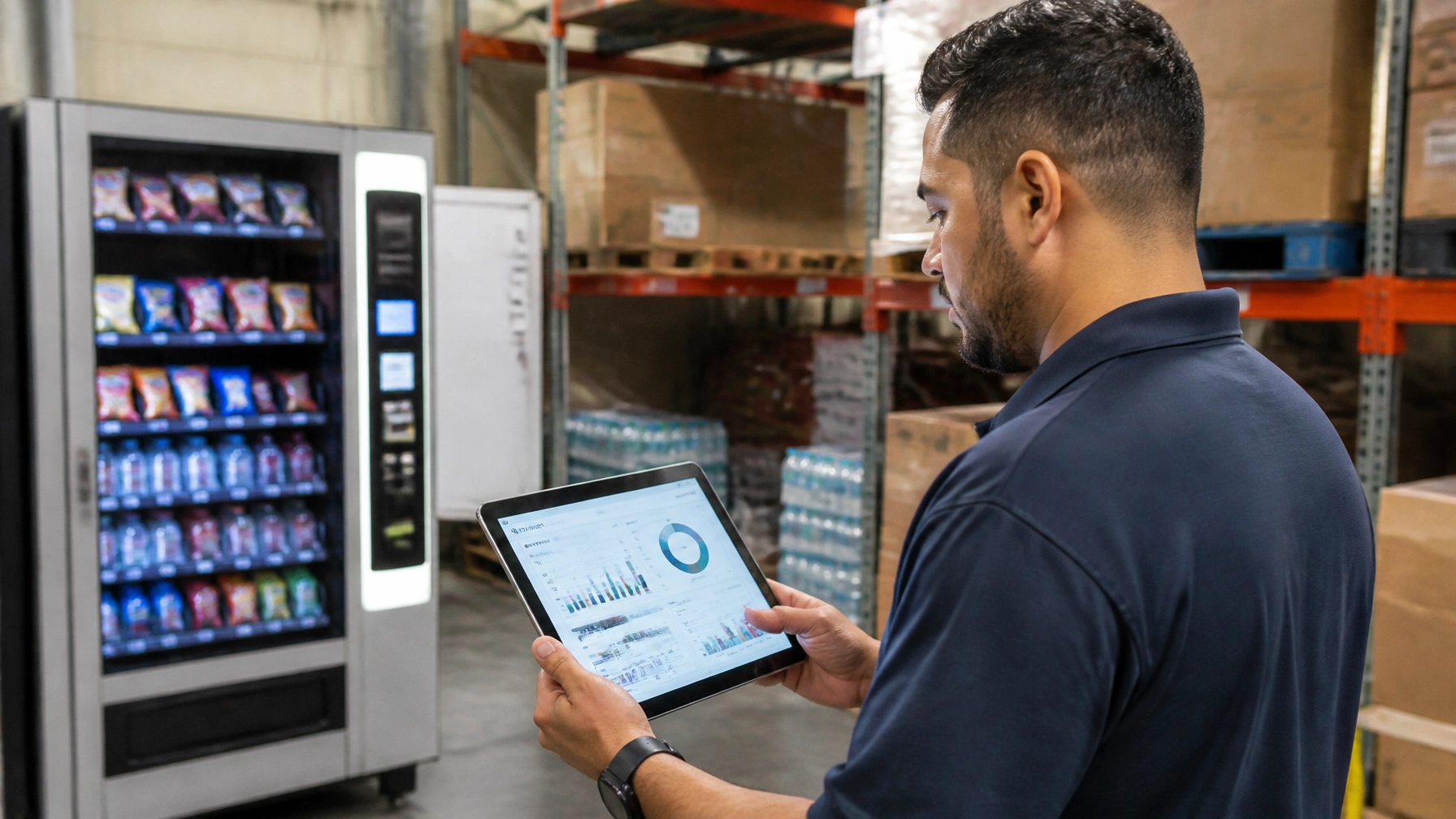
The "smart" in smart payment systems doesn't just refer to the payment itself, it refers to the telemetry. Telemetry is the wireless transmission of data from your machine to your management portal.
Real-Time Inventory Management
Gone are the days of driving to a machine just to see what is sold out. Telemetry provides a live view of your inventory levels. You can see exactly how many bags of chips and bottles of water are left in every machine across your route. This allows for "pre-kitting," where your team packs exactly what is needed for each machine before the truck ever leaves the warehouse.
For operators trying to scale, this is where cashless vending starts to become a real management advantage instead of just a payment upgrade. A machine with a connected reader can report sales by item, daypart, and refill cycle. That helps you identify products that move fast on Mondays, products that only sell during second shift, and products that consistently tie up space without earning their keep.
A simple example makes the value clear. If telemetry shows that a 10-selection snack machine is repeatedly running out of two top sellers by Thursday, you can increase the par level for those spirals and reduce the space given to low-performing SKUs. That single change often improves weekly gross sales without adding another machine or winning another location.
Remote Diagnostics and Uptime
If a bill validator jams or a compressor fails, you need to know before the customer does. Smart systems send real-time alerts to your phone. This proactive approach ensures your machines stay online, protecting your revenue and your reputation with the location owner. When your equipment is part of a $22B infrastructure market, maintaining uptime is a high-stakes game.
Remote diagnostics also help separate true service calls from minor issues that can wait until the next scheduled visit. If your system flags a temporary communication dropout, that may be very different from a failed motor, a door left open, or a refrigeration alarm. Operators who learn how to categorize alerts correctly avoid unnecessary truck rolls and keep their labor focused on the machines that are actually losing money in real time.
Over time, this data becomes a maintenance history. You can see whether one machine model has repeated coin mech issues, whether a certain location regularly experiences power interruptions, or whether a specific reader is disconnecting more often than the rest of your fleet. That information matters when you are deciding what equipment to replace, which vendors to buy from, and where to invest capital next.
Data-Driven Route Optimization
By analyzing sales velocity, you can optimize your visit frequency. Instead of visiting every machine once a week, you might visit your high-traffic gym location every two days and your quiet office lounge every two weeks. This reduces fuel costs, vehicle wear and tear, and labor hours, significantly improving your margins.
The best route optimization decisions usually come from a mix of telemetry inputs rather than one simple number. Experienced operators look at units sold per day, revenue per stop, spoilage risk, service alerts, stockout frequency, and drive time between locations. A location doing $150 per week but constantly stocking out may deserve more attention than a location doing $200 per week with stable inventory and low service demand.
If you want to systemize this, start with a basic route scoring model. Give each machine a weekly score based on:
- average daily sales
- percent of top sellers below refill threshold
- active service alerts
- days since last visit
- distance from the nearest cluster stop
Machines with the highest scores get serviced first. Even without advanced software, this framework helps reduce guesswork.
Predictive Maintenance and Failure Pattern Tracking
One of the most valuable long-term use cases for telemetry is predictive maintenance. Instead of waiting for a failure, you look for patterns that usually show up before a failure. That might include intermittent temperature swings, increased payment declines, unusual idle periods, or repeated machine resets.
For example, if a refrigerated machine starts reporting rising cabinet temperatures during the hottest part of the day, you may be seeing the early signs of airflow restriction, a dirty condenser, or a weakening component. Fixing it during a planned stop is much cheaper than replacing spoiled product, issuing refunds, and explaining downtime to the location manager.
The same logic applies to payment hardware. If a reader begins showing more offline events, slower reconnect times, or an abnormal spike in canceled transactions, that can indicate signal issues, mounting problems, cable wear, or power instability. A connected fleet gives you the chance to act before the machine becomes effectively cash-only.
Inventory Forecasting by Location Type
Inventory forecasting gets much more accurate once you have enough history from your cashless payment system and telemetry platform. A warehouse breakroom behaves differently from a hospital waiting area, a high school faculty lounge, or a 24-hour manufacturing site. Each environment has its own traffic rhythm, product mix, and refill pattern.
A practical way to forecast inventory is to segment your locations by type and then compare week-over-week sales at the SKU level. If a 12-ounce energy drink consistently sells 30% more during summer months at your construction supply locations, that should influence your purchasing and slot allocation. If baked chips underperform in industrial settings but move steadily in health-focused office accounts, that informs what products deserve facings in each environment.
This is where vending machine telemetry creates an edge. Instead of making route decisions based on intuition, you can build reorder plans around actual sales behavior.
Using Telemetry to Improve Account Retention
Location owners care about reliability more than your internal dashboard. The practical benefit of telemetry is that it helps you stay full, functional, and responsive. If you can show a prospective account that your machines are monitored remotely, restocked based on sales data, and serviced quickly when alerts appear, that becomes a sales advantage.
It also helps in renewal conversations. A location manager who complains about empty columns or repeated downtime is less likely to renew. A location manager who sees consistent uptime, fewer outages, and fast issue resolution is much more likely to keep your machines in place. In that sense, cashless vending technology supports both revenue growth and location defense.
Leading Payment Platforms and Strategic Benefits
When choosing a provider, operators usually start by looking at the names they hear most often in the market. While people commonly search for a Nayax and Cantaloupe comparison, the smarter approach is to evaluate each platform on its own fit, service model, hardware options, reporting depth, and long-term economics. In other words, the right cashless vending platform is the one that matches your operation—not the one with the loudest brand presence.
Insights into the Nayax Ecosystem
Nayax is known for its global reach and flexibility. Their hardware, such as the VPOS Touch and Onyx readers, is designed to work across a wide range of unattended use cases.
- Global Connectivity: If you operate in multiple regions or countries, Nayax offers broad support for currencies, banking relationships, and deployment environments.
- Consumer Engagement: Nayax provides tools like Monyx Wallet, a consumer-facing app that supports loyalty programs, promotional campaigns, and digital refunds.
- Hardware Versatility: Their readers are commonly used beyond traditional vending, including car washes, laundromats, and EV charging environments.
For operators focused on growth, Nayax often appeals because it combines payments, telemetry, loyalty, and consumer engagement in one ecosystem. If your long-term plan includes more than snack and drink machines, that flexibility may matter.
Insights into the Cantaloupe Ecosystem
Cantaloupe has a deep focus on integrated self-service retail. They are particularly strong for operators who want to manage a mix of traditional vending, micro markets, and smart stores under one roof.
- Retail Integration: Cantaloupe's Seed platform is one of the most established Vending Management Systems in the industry, integrating sales data from multiple unattended formats.
- Smart Store Innovation: For operators looking to expand into higher-ticket unattended retail, Cantaloupe's Smart Store technology supports secure, cashless environments that can drive significantly larger basket sizes.
- Micropayment Optimization: They have a long history of managing small-ticket card transactions, which matters when your route lives on frequent low-dollar purchases.
Cantaloupe is often attractive to operators who want a mature management environment, broad reporting, and a path into micro markets or other connected retail formats without stitching together multiple platforms.
Feature Snapshot for Major Cashless Vending Platforms
The table below is not a price quote. It is a planning tool that shows the categories operators should compare before signing a multi-year agreement.
| Provider | Typical Strength | Best Fit | Hardware Focus | Telemetry Depth | Loyalty and Promotions | Pricing Structure to Review |
|---|---|---|---|---|---|---|
| Nayax | Flexible unattended payments with consumer wallet features | Operators wanting broad hardware versatility and customer engagement tools | VPOS, Onyx, touch readers | Strong | Strong | reader cost, monthly service fee, processing rate, contract length |
| Cantaloupe | Integrated vending and self-service retail management | Operators managing vending plus micro markets or planning to expand | card readers integrated with Seed ecosystem | Strong | Moderate to strong | hardware package, monthly software fee, processing rate, support terms |
| 365 Retail Markets | Micro markets and connected workplace retail | Operators focused on office refreshment and market formats | kiosk and market-centric ecosystem with payments integration | Strong in market environments | Strong in closed-loop and workplace programs | software, hardware bundle, service support, integration costs |
| PayRange | Mobile-first retrofit and app-based convenience | Smaller operators or retrofit-focused routes looking for a lighter setup | mobile payment add-ons and simplified reader options | Moderate | Strong app-centric promotions | hardware entry cost, transaction fees, app usage model |
| Cantaloupe Go or smart store-adjacent tools | Friction-reduced self-service retail | Operators testing smart coolers, smart stores, or hybrid environments | camera and cabinet-integrated solutions | Strong | Moderate | deployment cost, software terms, reporting access |
How to Compare Providers Without Turning It Into a Head-to-Head Argument
A useful way to evaluate payment providers is to rank them against your own operational priorities. Start with these five questions:
- What unattended formats do I run today? Traditional snack and drink vending, micro markets, office coffee, smart coolers, and laundry all have different needs.
- What will I likely add in the next 24 months? The wrong provider can box you into an ecosystem that becomes expensive to expand later.
- How important is consumer engagement? Some operators want only reliable payments and telemetry. Others want loyalty, promotions, digital refunds, or campus wallet integration.
- How much reporting do I actually use? A deep platform is only valuable if your team can turn the data into action.
- What support model do I need? A lower headline fee is not a bargain if your readers are down for days and support is hard to reach.
What Operators Should Look for in Pricing
The most common mistake in evaluating cashless vending systems is focusing only on the advertised processing rate. That number matters, but it is just one piece of the real cost.
A proper provider review should include:
- reader hardware cost
- installation accessories or brackets
- monthly cellular or service fee
- software access fee
- payment processing fee
- contract term and auto-renewal terms
- early termination penalties
- warranty length
- replacement policy for failed devices
- chargeback handling and dispute process
Two providers can have similar transaction fees but very different three-year ownership costs.
Questions to Ask During a Demo
When you sit through a demo or sales call, avoid generic questions. Ask for practical examples:
- Show me how to identify my worst-performing machines.
- Show me where I can see card declines by machine.
- Show me how your system handles refunds.
- Show me what happens when a machine loses cellular service.
- Show me how promotions are configured.
- Show me what data I can export if I switch later.
These questions tell you more than a polished slide deck ever will.
Real-World Case Study of a Small Operator Going Cashless
Consider a small operator with 28 machines split across offices, light industrial accounts, and a community college satellite site. Before upgrading, about half the fleet was cash-only. The operator noticed three recurring issues: younger users walking away when they had no cash, frequent stockouts in a few strong locations, and too much time wasted checking low-volume machines that barely needed service.
The operator rolled out readers in phases. First, they identified the 12 machines already above the $300 monthly threshold. Those machines received readers first because the return was easiest to justify. After 90 days, average sales on that group increased enough to cover monthly service costs, while the telemetry data revealed two locations that needed more frequent visits and one that needed fewer.
In phase two, the operator installed readers on another 8 machines located in accounts considered strategically important, even though a few were below the threshold. The logic was not just short-term ROI. Those locations were vulnerable to competitive replacement if they stayed cash-only. By modernizing the equipment, the operator improved client perception and reduced the risk of losing the account.
Within the first year, the operator reported several practical changes:
- fewer lost sales due to customers carrying no cash
- better SKU planning at top-performing sites
- fewer unnecessary service trips
- improved ability to discuss performance with location contacts using actual sales data
- stronger buyer interest when the operator later discussed route valuation
The biggest surprise was not the payment lift. It was how much cleaner the day-to-day operation became once the route was visible through connected data.
Cashless Readiness Checklist
Before you commit to a platform, review your current fleet with this checklist:
- Do I know which machines are already MDB-compatible?
- Do I have at least 90 days of baseline sales data by machine?
- Which locations already exceed the $300 monthly threshold?
- Which lower-volume accounts are strategically important enough to justify a reader anyway?
- Are my machines in areas with dependable 4G or 5G signal?
- Do I need external antennas at any basements, warehouses, or shielded rooms?
- Do I know my current commission structure by account?
- Am I paying commission on gross sales, or can I negotiate on net sales after processing fees?
- Do I need loyalty features, campus wallet compatibility, or employee subsidy support?
- Will I expand into micro markets, smart coolers, or office coffee service?
- Who on my team will monitor telemetry alerts and act on them?
- Do I understand the full three-year cost of hardware, software, and processing?
- Can I export my data if I ever change providers?
- Does the support team offer real installation help when issues come up?
If you cannot answer several of those questions yet, that does not mean you should delay going cashless. It means you should structure the rollout in stages.
The Financials of Going Cashless
Transitioning to a smart payment system requires a clear understanding of the costs involved. You aren't just buying hardware; you are entering a service agreement.
Upfront Hardware Costs
A modern, PCI-compliant card reader typically costs between $300 and $800 per unit. This includes the reader itself and the necessary mounting hardware. Some providers offer "lease-to-own" programs or subsidized hardware in exchange for slightly higher transaction fees, which can be a great way for a company to scale quickly without heavy initial capital expenditure.
If you are upgrading a large fleet, build your budget around more than the reader itself. You may also need faceplates, harnesses, mounting kits, antenna accessories, labor time, and a few replacement parts for older machines that have loose or worn MDB connections. Those small items add up quickly across 20, 50, or 100 machines.
Transaction and Monthly Fees
Every cashless transaction carries a cost. You should expect to pay between 3% to 6% of the transaction value in processing fees. In addition to the percentage, most providers charge a fixed monthly connection fee, usually $10 to $15 per machine. This fee covers the cellular data plan that allows the reader to communicate and the access to the telemetry portal.
A useful habit is to model your economics at the machine level. Take one machine with $500 in monthly sales. If 70% of those sales move to card and mobile wallet payments, then $350 is subject to processing fees. Add the fixed monthly service fee and divide the total cost by machine revenue. This gives you a much clearer picture of whether the unit is comfortably profitable, borderline, or only strategic for account retention.
To run that machine-level math automatically, use TVC’s free Cashless ROI Calculator — enter your sales, expected lift, and fee quotes to see payback time, first-year ROI, and monthly fee load.
Dual Pricing and Cash Discount Strategy
Many operators eventually ask the same question: if card fees are real, should the customer help absorb them?
The answer depends on your market, your local rules, your location relationship, and your customer experience goals. In practice, operators usually consider one of three approaches:
- Single price for all payment types. This is the simplest customer experience. Every buyer sees the same price whether they use cash, card, or mobile wallet. It avoids friction, but it means your margin absorbs the processing fee.
- Cash discount model. The posted price is the card price, and a small discount is applied when the customer uses cash. This model must be handled carefully so pricing is transparent and compliant with applicable rules.
- Dual pricing model. The machine shows one cash price and one cashless price. For example, a product may be $1.50 cash and $1.60 credit. In many locations, customers accept this as long as the difference is modest and clearly disclosed.
Whichever model you use, consistency matters. If one machine in an account has dual pricing and another does not, customers may assume the machine is malfunctioning or overpriced. Pricing rules should be standardized across your route or at least across similar account types.
How to Evaluate Whether Dual Pricing Makes Sense
Dual pricing tends to work best when:
- average vend prices are already above the dollar range where a small increase feels extreme
- the location has limited nearby alternatives
- customers value convenience more than they object to a modest payment premium
- signage and machine UI make the pricing clear
It tends to work less well when:
- the account is highly price-sensitive
- there are free snack alternatives or a nearby subsidized cafeteria
- you are in a school or workplace environment where customer complaints reach management quickly
- the account specifically wants a clean, friction-free employee experience
Negotiating Fees and Commissions with Locations
Commissions paid to the location owner typically range from 0% to 15% and are often calculated on gross sales. However, once an operation becomes heavily cashless, that structure deserves a fresh conversation.
A good negotiation approach is to frame the issue in terms of economics and service quality rather than trying to "win" a fee argument. You can explain that modern payment acceptance drives more sales for the location but also introduces processing expense, connectivity cost, and hardware investment. The fairest approach in many cases is to calculate commissions on net sales after cashless transaction fees.
You can also present a few options:
- keep the current commission percentage but calculate on net sales
- slightly reduce the commission percentage in exchange for adding cashless readers
- maintain the commission rate but tie service upgrades to a minimum sales threshold
- waive commission entirely in exchange for a more premium product mix or added machine count
Many location contacts respond well when they see that cashless vending is not just a convenience upgrade. It is a revenue upgrade for the location too.
Sample Fee Review Framework
Before meeting with a location owner, gather:
- current monthly gross sales
- estimated cashless sales mix
- expected processing cost at 3% to 6%
- current commission percentage
- estimated sales lift from adding a reader
- service improvements from telemetry and faster issue response
This lets you show the location a simple before-and-after model rather than a vague request. That usually leads to better conversations and more durable agreements.
Commissions and Valuation
When calculating your profit, remember that commissions paid to the location owner (typically ranging from 0% to 15%) are usually calculated on gross sales. However, smart operators often negotiate commissions based on "net sales", gross sales minus the cashless processing fees.
Ultimately, these systems increase the value of your business. A modern, cashless route with clean telemetry data typically commands a higher valuation multiple, often between 2.0x to 3.5x Seller's Discretionary Earnings (SDE).
Buyers like routes with connected readers because the operation is easier to verify. Sales reports are cleaner, machine performance is easier to audit, and route optimization opportunities are visible in the data. If two routes generate similar earnings, the one with stronger telemetry, modern payment acceptance, and more predictable service history will usually feel lower risk to a buyer.
Model your economics at the machine level: a $500/month machine with 70% cashless sales puts $350 through processing fees. Add the $10–$15 monthly service fee, compare to the 20–35% sales lift, and you can see instantly whether a reader is profitable or purely strategic.
Installation and Technical Compliance
Installing a card reader is a straightforward process, but it requires attention to detail to ensure security and reliability.
MDB and Hardware Mounting
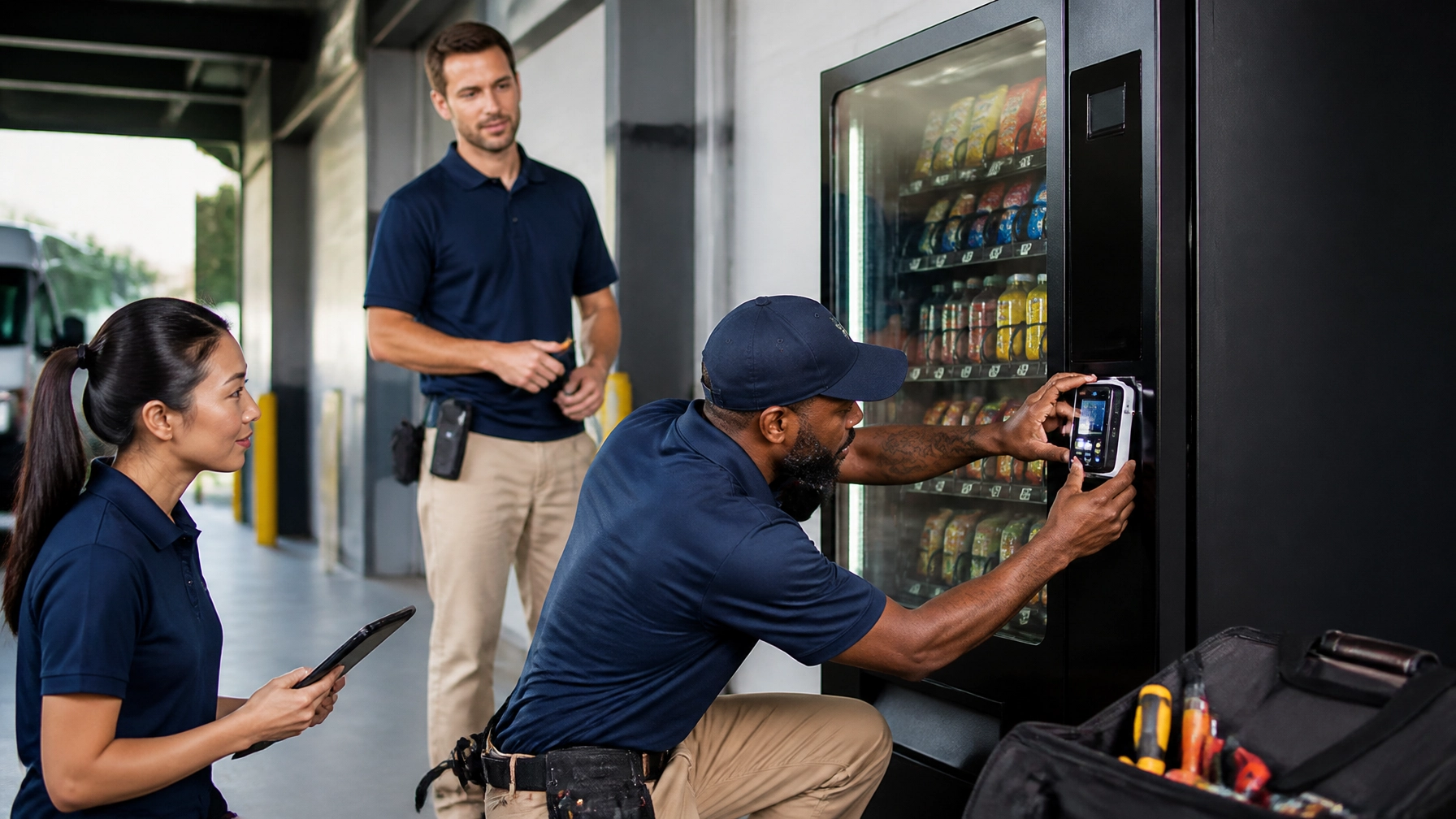
Most machines manufactured in the last 20 years use the Multi-Drop Bus (MDB) protocol. This is a standard plug-and-play interface that allows the card reader to communicate with the machine's controller. Installation usually involves drilling a small hole for the mounting studs or using a pre-existing "knockout" plate on the front of the machine.
Before you start, confirm that the machine is compatible, powered down safely, and physically suitable for reader placement. Not every older machine is equally easy to retrofit. Some have worn harnesses, awkward panel layouts, or cosmetic damage that makes clean mounting harder than expected.
Step-by-Step Reader Installation Guide
A basic cashless vending installation often follows this sequence:
- Review machine compatibility. Confirm the machine supports MDB. Check the control board, the harness, and the manufacturer documentation if needed. If the machine is very old, verify that a retrofit kit or adapter is available before you promise a same-day install.
- Choose the mounting location. The reader should be visible, easy to reach, and placed where the customer naturally looks when making a purchase. Avoid awkward low placements or areas where the machine door curvature makes the reader sit unevenly.
- Power down and open the machine. Disconnect power before touching internal wiring. This protects both the machine and the installer.
- Install the bracket or faceplate. Some machines have a factory knockout. Others need a bracket or minor drilling. Take the time to align it properly. A crooked installation makes the machine look unprofessional and can create long-term vibration or cable stress issues.
- Connect the MDB harness. Route the cable cleanly and avoid pinching. Loose cable management is one of the simplest ways to create future service issues.
- Mount the reader securely. Tighten all hardware without over-stressing plastic housings or thin sheet metal. A reader that wiggles or flexes during use will not inspire confidence.
- Restore power and run initial setup. Once the machine is powered on, confirm that the reader boots correctly, communicates with the controller, and appears in the provider dashboard.
- Test multiple payment methods. Run a test vend with contactless payment, chip payment if supported, and any app-based options the device offers. Confirm that the vend succeeds and reports correctly.
- Check signal strength and sync status. Do not leave the site assuming connectivity is fine. Make sure the reader is actually online and transmitting.
- Document the installation. Record the machine ID, reader serial number, date of install, and any signal or mounting notes. This makes future support much easier.
Common Installation Mistakes to Avoid
Operators new to cashless vending installations often run into the same problems:
- mounting the reader too low or too far from the selection area
- failing to verify signal quality before leaving
- not securing harnesses and antenna cables properly
- assuming every payment decline is a reader defect instead of checking pricing, machine config, or communication settings
- forgetting to test a real vend after the device appears online
A successful installation is not complete when the reader lights up. It is complete when the machine vends correctly and the transaction is visible in the portal.
PCI DSS and Security
Security is non-negotiable. As an operator, you must ensure your payment provider is PCI DSS compliant. This means they adhere to the Payment Card Industry Data Security Standard. Modern readers use end-to-end encryption, ensuring that cardholder data is never stored on the reader or transmitted in a way that can be intercepted. This protects your business from the catastrophic financial and reputational damage of a data breach.
For vending operators, the practical legal takeaway is simple: do not improvise around payment security. Use approved hardware, maintain provider-supported software and firmware, and follow the setup process exactly as instructed. If you store, transmit, or interact with payment data through unsupported workflows, you can create liability that your processor will not be eager to absorb.
What PCI Compliance Means for Operators in Practical Terms
Most operators are not becoming payment security experts overnight, but they do need to understand the operational basics:
- only deploy approved and current payment hardware
- do not tamper with or bypass device security features
- keep access credentials to the management portal secure
- limit dashboard access to staff who actually need it
- review user permissions when employees leave
- respond quickly to provider notices about firmware updates, certificate renewals, or security advisories
- inspect readers physically for tampering during service visits
A reader mounted on the front of a machine is physically accessible to the public. That means visual inspection matters. If the bezel looks damaged, loose, or altered, treat that seriously and contact your provider.
Chargebacks, Refunds, and Recordkeeping
Operators should also understand the customer-service side of compliance. If a customer claims they were charged but did not receive a product, your ability to investigate depends on clean records. Telemetry logs, vend logs, refund history, and machine health data can all support a fair resolution.
That does not just protect the customer. It protects your business when disputes arise. A route with organized records is much easier to defend than one run from memory and handwritten notes.
Cellular Signal Strength
Since readers rely on cellular networks (4G/5G), signal strength is critical. If you are placing a machine in a basement or a thick-walled warehouse, you may need to install an external booster antenna. A reader that frequently goes offline will frustrate customers and lead to "ghost" transactions that fail to process.
Signal planning should be part of the install checklist, not an afterthought. Test connectivity where the machine will actually sit. A doorway, dock area, or front office may have strong service, while the breakroom twenty yards deeper into the building may not. If the environment is known to be difficult, bring the right antenna accessories from the start.
The Future of Unattended Payments
The technology we use today is only the beginning. As we look toward the late 2020s, several trends are poised to change the industry again.
- Biometric Payments: Facial recognition and palm-vein scanning are already being tested in high-security environments. These allow for truly frictionless "grab and go" experiences.
- AI-Driven Dynamic Pricing: Imagine a machine that automatically lowers the price of fresh sandwiches as they approach their expiration date, or increases the price of cold water during a record-breaking heatwave.
- Advanced Micro Markets: The line between a vending machine and a convenience store is blurring. Smart coolers and AI-powered "computer vision" cabinets allow customers to open a door, take what they want, and be charged automatically as they walk away.
Choosing the Right Provider for Your Operation
Deciding on a payment partner is a long-term commitment. Before signing a contract, ask these key questions:
- What is the total cost of ownership? Look past the hardware price and calculate the total fees over a three-year period.
- How robust is the telemetry? Does the portal give you the specific data you need to run your route efficiently?
- Is the support team local? When a reader goes down on a Friday afternoon, you need a partner who answers the phone.
- Can the system grow with me? If you plan to move into micro markets or office coffee service, ensure the platform supports those formats.
Add a few more questions before you sign:
- What happens if I want to leave? Ask how your data export works, what notice is required, and whether there are deinstallation or early termination costs.
- Who owns the customer-facing payment experience? If the provider controls app features, loyalty tools, or digital receipts, understand what flexibility you do and do not have.
- How are failed transactions handled? You want a clear answer on offline behavior, retries, refunds, and dispute support.
- What does installation support actually include? Some providers are very hands-on during onboarding. Others largely expect you to self-manage.
A strong payment partner should make your route easier to run, not more complicated. The best system for your operation is the one that helps you reduce downtime, protect margin, understand machine performance, and keep locations happy over the long haul.
At The Vending Club, we believe that staying connected to the community is the best way to keep up with these rapid changes. Sharing tips on the latest hardware or discussing fee structures with fellow operators can save you thousands in trial and error.
If you are just getting started and need to master the basics of equipment and location scouting, our Operator Foundations course provides the framework you need to build a professional route from the ground up.
Frequently Asked Questions
Do I really need a card reader for every machine? While most machines benefit from cashless, the $300 threshold rule is a good guide. If a machine has very low volume or is in a location where the target audience only uses cash, you might hold off. However, in most modern locations, a reader is expected.
What happens if the cellular signal is weak? Most modern readers like those from Nayax or Cantaloupe have optional high-gain antennas. These can be mounted on top of the machine or even run outside to a window to ensure a stable 4G or 5G connection.
How much does the average cashless reader cost per month? You should budget for a $10 to $15 monthly service fee per reader. This covers the cellular data and the cloud-based management software.
Can I pass the 3% to 6% credit card fee to the customer? Yes, this is often handled through dual pricing or a cash discount model. Many operators set a cash price and a slightly higher card price. The key is making the pricing clear and using a structure that fits your account type.
Is it hard to install a card reader myself? If your machine is MDB-compatible, installation is often a manageable process with basic tools, provider instructions, and some patience. Many providers offer setup videos and support for first-time installers.
How do I see my sales data? Once your reader is active, you will have access to a web-based portal or mobile app provided by your payment processor. This dashboard usually shows sales, inventory activity, and machine health alerts.
What is the best first step if I want to modernize my route? Start by identifying your best-performing machines and your most strategically important locations. Install readers where the economics are strongest or where location retention matters most.
Can older vending machines be upgraded to cashless? Many can, especially if they support MDB. Very old machines may require retrofit parts or may not be worth upgrading if reliability is already poor.
How long does a typical installation take? For a straightforward MDB-compatible machine, many installs can be completed in under an hour. First-time installs or difficult retrofits may take longer.
What if a transaction is approved but the product does not vend? That is where transaction logs, vend logs, and provider support matter. Most platforms have a process for investigating failed vends and issuing refunds when appropriate.
Do cashless readers work for drink, snack, and combo machines? Yes. Many readers are built for broad compatibility across traditional vending formats, though you should still verify compatibility machine by machine.
How do operators use telemetry to reduce labor? They use it to prioritize stops, pre-kit inventory, respond to real service alerts, and avoid driving to machines that do not need attention yet.
Is telemetry useful even for a small route? Yes. Even a small operation benefits from better visibility into inventory, service issues, and payment performance. The savings may show up in time and efficiency before they show up in headcount.
What should I look for in a cashless vending contract? Focus on total cost, contract length, termination terms, warranty coverage, replacement policies, support responsiveness, and access to your own data.
Does cashless vending help when selling a route? Usually yes. Buyers often value routes with connected payment systems because the sales data is cleaner, the equipment appears more modern, and the business is easier to diligence.
Are mobile wallets really that important? In many locations, yes. A growing share of customers expect to tap with a phone or watch instead of carrying cash or even a physical card.
Should I put readers on low-volume machines just to keep the account? Sometimes that makes sense. If the account is strategically important or vulnerable to competitors, the reader may be justified even when the short-term machine ROI is thin.
How often should I review product mix once telemetry is active? At minimum, review top sellers, slow movers, and stockout patterns monthly. High-volume locations may justify weekly review.
Can telemetry help with forecasting seasonal demand? Yes. Once you have enough historical sales data, you can adjust purchasing and slotting by season, location type, and even shift pattern.
Do I need a separate system for loyalty programs? Not always. Some payment ecosystems include loyalty, promotions, refunds, or app-based engagement within the broader platform.
What is the biggest mistake operators make when adopting cashless vending? Many focus only on getting the reader installed. The real value comes from using the data afterward to improve pricing, inventory, route service, and account retention.
To continue the conversation and hear which systems your fellow operators are finding the most success with this year, connect with other operators through the communities mapped in the Vending Community Guide.
Keep reading
- Choosing a Product SupplierDistributor types, account minimums, how suppliers build their price, delivery terms, and the nine questions to ask before opening an account.Read the criteria
- Choosing Vending EquipmentNew vs. refurbished vs. used, sizing capacity to your service interval, MDB and DEX compatibility, and the parts channel behind the sale.Read the criteria
- Choosing a Micro Market SupplierHardware vs. platform vs. bundled, the full fee stack, regional service coverage, loss prevention, and who controls your planogram.Read the criteria