

Vending Operators9 min read
On this page
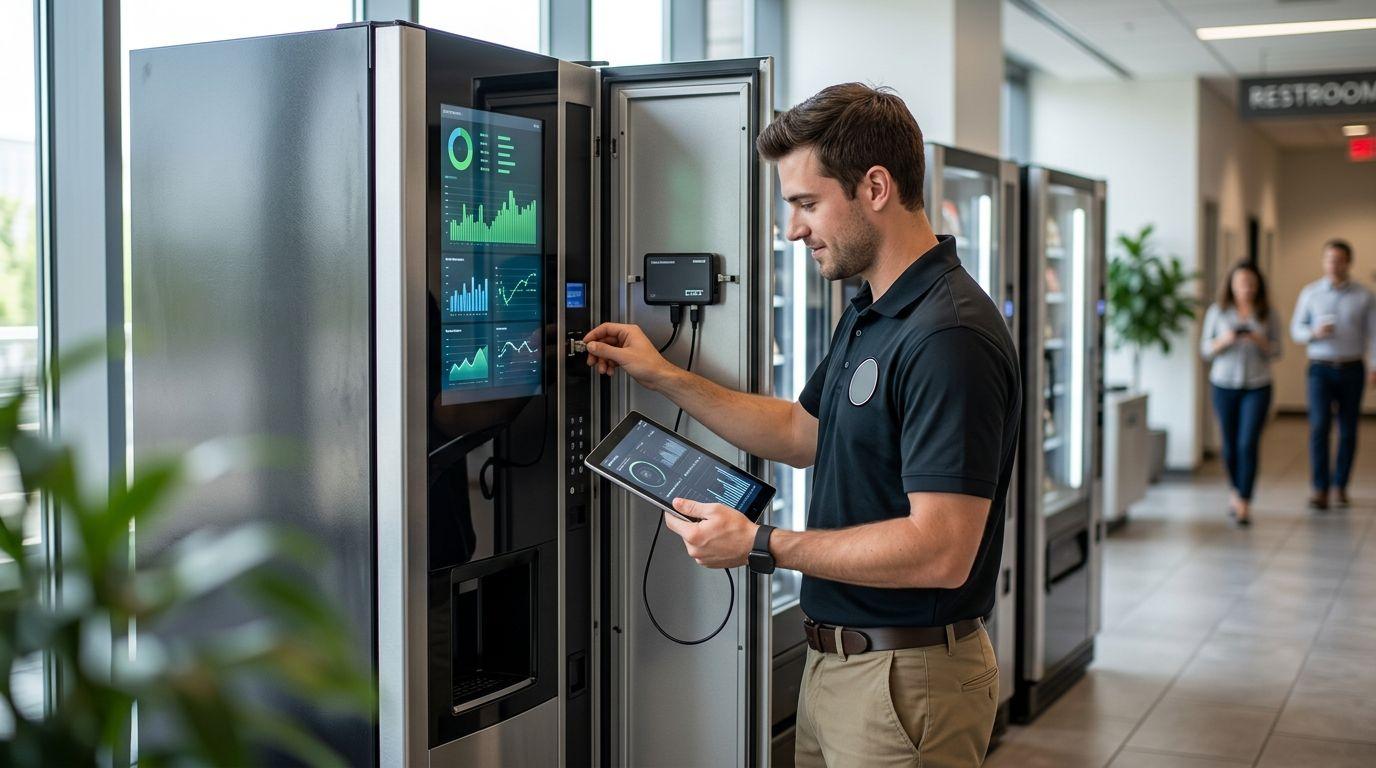
Vending machine telemetry for scaling operators is remote monitoring technology that reports sales, inventory levels, and machine status from every unit on a route back to a dashboard, cutting the number of physical stops needed to catch a stockout or a jammed coil. Operators running a handful of machines can often manage with a phone call and a spreadsheet. Once a route grows past a couple dozen stops, the math changes: The cost of a wasted trip starts to outweigh the cost of the hardware or subscription that would have flagged the problem remotely.
This guide walks through what changes for an operator scaling from a side route to a full-time business, what telemetry actually does and does not solve, and where to look for further detail, including The Vending Club's guide to telemetry and remote monitoring systems.
TL;DR- Vending machine telemetry for scaling operators reports inventory, sales, and machine health remotely, replacing manual route checks as machine counts grow.
- Telemetry does not fix a bad route; it tells an operator which stops still need a scheduled visit and which ones do not.
- Cashless readers with built-in telemetry and dedicated telemetry modules solve overlapping but different problems, and neither replaces a service log.
- Data security for connected vending hardware follows the same principles the FTC applies to any internet-connected device.
- Operators should track downtime and stockout patterns manually before buying hardware, so they can measure whether telemetry actually changes the numbers.
Why telemetry matters for scaling operators
A route of 5 to 10 machines can run on a fixed weekly schedule because the operator or a single driver already knows which locations sell fast and which ones barely move. That knowledge does not scale. A route covering 30 stops across three counties cannot be held in one person's head, and a fixed schedule built for a small route wastes fuel and labor once a third of the stops don't need a visit that week.
Telemetry exists to close that gap by reporting what's actually happening at each machine instead of assuming a schedule will catch it. For a scaling operator, the question isn't whether telemetry data is useful, it's whether the operation has grown large enough that the cost of a missed stockout or an unnecessary visit exceeds the cost of the monitoring system itself. The Vending Club's guide on how much downtime is normal for a vending machine each month is a useful starting point for that comparison before any equipment decision gets made.
Steps for scaling a route with telemetry
Set a machine-count threshold before buying anything
Most operators don't need telemetry at 5 machines. The point at which it starts paying for itself depends on route density, not just machine count. A tight 25-machine route in one neighborhood may never need telemetry, while a spread-out 15-machine route across a metro area might benefit from it immediately.
- Log actual drive time per stop for one full month, by hand or with a route-planning app
- Total the hours spent on stops that turned out not to need restocking or service
- Compare that wasted time against what a monitoring subscription or hardware purchase would cost
- Flag any single location responsible for repeat unnecessary visits
- Revisit the threshold every time the route adds five or more machines
Audit downtime and stockouts manually first
Before adding hardware, establish a manual baseline. Without a baseline, there's no way to know later whether telemetry actually reduced downtime or just changed how it gets reported.
- Keep a simple stockout log: Date, machine, product, hours or days until restocked
- Note every service call caused by a jam, bill validator fault, or card reader failure
- Record which locations generate complaints from the location owner or manager
- Separate downtime caused by inventory (empty slot) from downtime caused by hardware failure
- Track this for at least 30 days before evaluating any telemetry system
Choose a telemetry approach that matches the machine fleet
Telemetry isn't one product category. Some systems live inside a cashless payment reader and report transaction and inventory data as a byproduct of processing card payments. Others are dedicated modules wired into the machine's control board, often using the DEX (Data EXchange) or MDB (Multi-Drop Bus) protocols that many vending machine manufacturers already support. A mixed fleet of older mechanical machines and newer combo machines may need two different approaches running in parallel rather than one universal system.
- Check whether existing card readers already report sales and inventory data, since a subscription may already be included
- Confirm which protocol each machine supports, MDB Level 3 or DEX file exports being the most common
- Ask any telemetry vendor directly whether their hardware is compatible with the specific machine models on the route
- Decide whether real-time alerts or daily/weekly reports fit the route's actual visit frequency
- Compare data ownership and export terms before signing a contract, since some systems lock reporting inside a proprietary dashboard
There may be telemetry providers, hardware options, or bundled services beyond the ones referenced here, and terms vary by vendor and by contract length.
Set restocking thresholds based on data, not habit
Once sales and inventory data start coming in, the temptation is to keep the same visit schedule and just glance at the dashboard. That defeats the purpose. The schedule itself needs to change.
- Set a minimum inventory percentage that triggers a restock alert per slot, not per machine
- Separate high-velocity products (fast sellers that empty a slot in days) from slow movers
- Build a rotating visit list ranked by which machines are actually approaching empty
- Cross-check alert accuracy against the manual stockout log from the earlier audit for at least the first month
- Adjust thresholds seasonally, since foot traffic at office and school locations shifts with the calendar
Track machine health, not just inventory
Inventory data solves stockouts. Machine health data solves the jammed coil, the stuck bill validator, and the card reader that silently stops accepting payments for two days before anyone notices. These are different problems and need different alerts.
- Flag any machine reporting zero transactions for more than 24 hours during normal operating hours
- Track error codes reported by the card reader or control board separately from sales data
- Set a service ticket automatically when a machine reports a vend failure above a set rate
- Keep a running list of machines with repeat hardware faults, since repeat failures usually mean the unit needs replacement, not another repair
- Compare machine-health alerts against actual service calls monthly to catch false positives
Integrate telemetry data with bookkeeping
Sales data sitting in a telemetry dashboard is only useful if it reaches the same place as expenses, taxes, and payroll. Scaling operators who skip this step end up reconciling two separate systems by hand every month.
- Export sales and transaction data on a schedule that matches the bookkeeping cadence, weekly or monthly
- Confirm the telemetry platform separates cash and cashless transactions cleanly, since they're taxed and reported differently
- Keep a dedicated account for vending revenue and expenses, which also makes reconciling telemetry exports faster; see The Vending Club's guide on whether vending machine owners need a separate business bank account
- Cross-reference telemetry sales totals against bank deposits monthly to catch discrepancies early
- Retain exported data for the length of time required by state or federal recordkeeping rules
Train drivers to work off alerts, not the calendar
The hardest part of scaling with telemetry usually isn't the technology, it's changing driver habits built around a fixed schedule. A driver who's used to visiting every stop on Tuesday won't automatically start skipping the stops that don't need it.
- Walk drivers through the dashboard directly so they can see which alerts matter
- Set a clear rule for which alert severity requires a same-day visit versus a next-scheduled-visit
- Build a route order that updates based on current alerts rather than a static list
- Review driver feedback monthly, since drivers often catch machine issues the dashboard misses
- Revisit training whenever a new telemetry system or hardware update changes the dashboard
“Telemetry does not replace route planning; it tells you which stops no longer need a fixed schedule.”
Comparing telemetry approaches for scaling routes
There is no single system that fits every fleet. The table below describes categories of telemetry approaches rather than specific brands, since equipment mix, contract terms, and vendor availability vary by operator and by region. Other providers, hardware types, or bundled services not listed here may also be a fit.
| Telemetry approach | Suited to | Key limitation |
|---|---|---|
| Telemetry built into a cashless card reader | Operators already upgrading to cashless payment across the fleet | Reporting depth is often tied to that one reader vendor's platform |
| Dedicated telemetry module (MDB or DEX based) | Mixed fleets with older mechanical machines that lack cashless readers | Requires compatible wiring and machine-side protocol support |
| WiFi or cellular gateway added to existing machines | Locations with reliable connectivity and machines not already networked | Ongoing data plan or connectivity cost separate from the hardware |
| Manual audit apps without live telemetry | Small routes still under the threshold where telemetry pays for itself | No real-time alerting, still depends on a scheduled visit |
For a closer look at cashless hardware options that report transaction data, see The Vending Club's guide to credit card readers for vending machines.
Compare operator tools and templates
Browse free calculators, agreement templates, and state guides for scaling routes.
Read the cashless guideCommon mistakes scaling operators make
- Buying telemetry before running a manual baseline. Without a downtime or stockout log from before the purchase, there's no way to measure whether the system actually reduced wasted visits in 2026 or any other year.
- Mixing incompatible hardware across the fleet. A telemetry module built for MDB Level 3 machines won't report anything useful from an older mechanical unit without a separate solution.
- Leaving alert thresholds at default settings. Default thresholds are rarely tuned to a specific route's product mix or foot traffic pattern, which produces either too many false alerts or missed stockouts.
- Not training drivers to trust the dashboard. A driver who still visits every stop on the old schedule regardless of alerts erases most of the labor savings telemetry is supposed to create.
- Ignoring data export and ownership terms. Some telemetry contracts keep historical data locked inside the vendor's platform, which becomes a problem if the operator switches systems later.
One last thing
The part of telemetry that catches most scaling operators off guard isn't the hardware, it's the reporting habit it forces. A dashboard full of alerts is only as useful as the discipline to act on it daily rather than checking it once a week out of curiosity. Operators who treat the first 60 to 90 days after adding telemetry as a tuning period, adjusting thresholds and retraining drivers as false alerts show up, tend to get more out of the system by the end of 2026 than operators who install it once and leave the defaults untouched.
Sources
- Federal Trade Commission, "Careful Connections: Building Security in the Internet of Things": https://www.ftc.gov/business-guidance/resources/careful-connections-building-security-internet-things
- National Automatic Merchandising Association (NAMA), official industry site: https://namanow.org
Get new vending guides in your inbox
The Vending Club publishes new operator guides most days. The free General Updates newsletter goes out every Friday with the week's new articles, and nothing else. You choose the updates you want, we confirm by email before sending anything, and you can unsubscribe at any time.
Related guides
Common questions
- How do you choose vending machine telemetry for a scaling route?
Start with a manual audit of downtime and stockouts for at least 30 days, then match a telemetry approach to the machine protocols already in the fleet (MDB, DEX, or a cashless reader's built-in reporting). The right choice depends on route density and machine mix, not a single universal answer.
- How do you know when a route is big enough to need telemetry?
There's no fixed machine count that triggers the need for telemetry. Operators typically compare wasted drive time and unnecessary visits, tracked manually for a month, against the cost of a monitoring system before deciding.
- Is telemetry the same as a cashless payment system?
Not always. Some cashless readers include telemetry reporting as part of the transaction data they already collect, while other telemetry systems are separate hardware modules wired directly into the machine's control board.
- What protocols do vending machine telemetry systems use?
Many systems rely on DEX (Data EXchange) file exports or the MDB (Multi-Drop Bus) communication standard, both of which are supported by a range of machine manufacturers, though compatibility should be confirmed per model.
- Does telemetry reduce the number of route stops needed?
It can, by flagging which machines actually need restocking or service instead of relying on a fixed schedule. The reduction depends on how accurately alert thresholds are set and how consistently drivers act on them.
- What data security concerns apply to vending machine telemetry?
Telemetry hardware is an internet-connected device, so the same general security principles the FTC applies to any IoT device, such as changing default credentials and applying firmware updates, apply here too.
- Can telemetry data be used for bookkeeping?
Yes, most systems export sales and transaction totals that can be reconciled against bank deposits and used in monthly bookkeeping, though cash and cashless transactions should be tracked separately for tax purposes.
- Do all vending machines support telemetry hardware?
No. Older mechanical machines without an MDB or DEX-compatible control board may need a retrofit kit or a separate gateway device, and not every machine model is compatible with every telemetry vendor.